

Bettie12
New member
Parts used:
Motorrad Dresden: 1 x MID090005 Navi interface CAN-Bus R18 (€ 85,90 incl. porto+vat )
https://www.bmw-navi-anschluss.de/ (search for MID090005)
AliXpress: Dual USB adapter (€ 8,59)
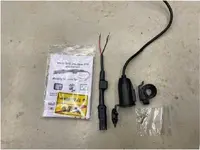
The Way I did it:
Tank removal
1. Unscrew the 3 bolts that hold the tank in place.
2. Remove the 2 side-plates for access to the petrol-hose and vent-hose on the right side and the contact cable for the tank gauge on the left side. Take care that the petrol-hose is not under tension when you push the white side pressure plates, otherwise it’s difficult to release!
Note: You don’t need to empty the tank because the coupling closes automatically.
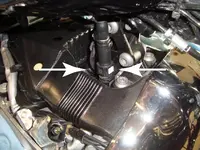
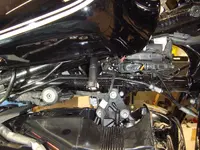
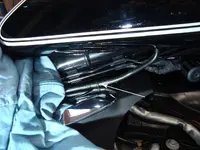
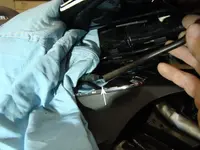
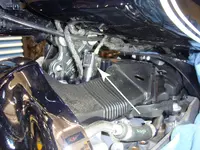
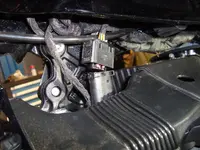
Remove the Tank.
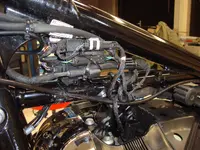
3. Locate the CAN-bus on the frame (see pic)
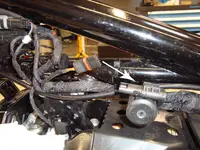
Cut the Tie-Wrap and, because the Navi Interface has its own, remove the CAN-bus sleeve from the plug.
Plug-in CAN-bus sleeve into the Navi Interface.
4. Link the USB adapter tot he Navi Interface (solder connection) and correctly secure everything with Tie-Wraps.
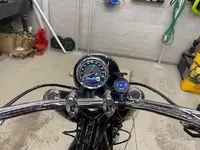
5. Check for correct working before reinstallation the Tank and side-plates.
Have Fun
Motorrad Dresden: 1 x MID090005 Navi interface CAN-Bus R18 (€ 85,90 incl. porto+vat )
https://www.bmw-navi-anschluss.de/ (search for MID090005)
AliXpress: Dual USB adapter (€ 8,59)
The Way I did it:
Tank removal
1. Unscrew the 3 bolts that hold the tank in place.
2. Remove the 2 side-plates for access to the petrol-hose and vent-hose on the right side and the contact cable for the tank gauge on the left side. Take care that the petrol-hose is not under tension when you push the white side pressure plates, otherwise it’s difficult to release!
Note: You don’t need to empty the tank because the coupling closes automatically.
Remove the Tank.
3. Locate the CAN-bus on the frame (see pic)
Cut the Tie-Wrap and, because the Navi Interface has its own, remove the CAN-bus sleeve from the plug.
Plug-in CAN-bus sleeve into the Navi Interface.
4. Link the USB adapter tot he Navi Interface (solder connection) and correctly secure everything with Tie-Wraps.
5. Check for correct working before reinstallation the Tank and side-plates.
Have Fun
Last edited: